🛒 How to Purchase LAND on MCHC
Preparation
You will need to connect your wallet to the purchase page and connect to the MCHverse network. For details, please refer to [How to Connect Your Wallet] (Wallet.md).
Also, if you are using a smartphone or tablet, please operate the procedure from the MetaMask browser.

Purchase Procedure
1: Switch Payment Method
2: Confirm Purchase Details
3: Transaction Authorization
4: LAND Confirmation
Step 1: Switch Payment Method
Click "MCHC Payment" at the bottom to switch to MCHC Payment.
By switching, prices will be displayed in MCHC prices.
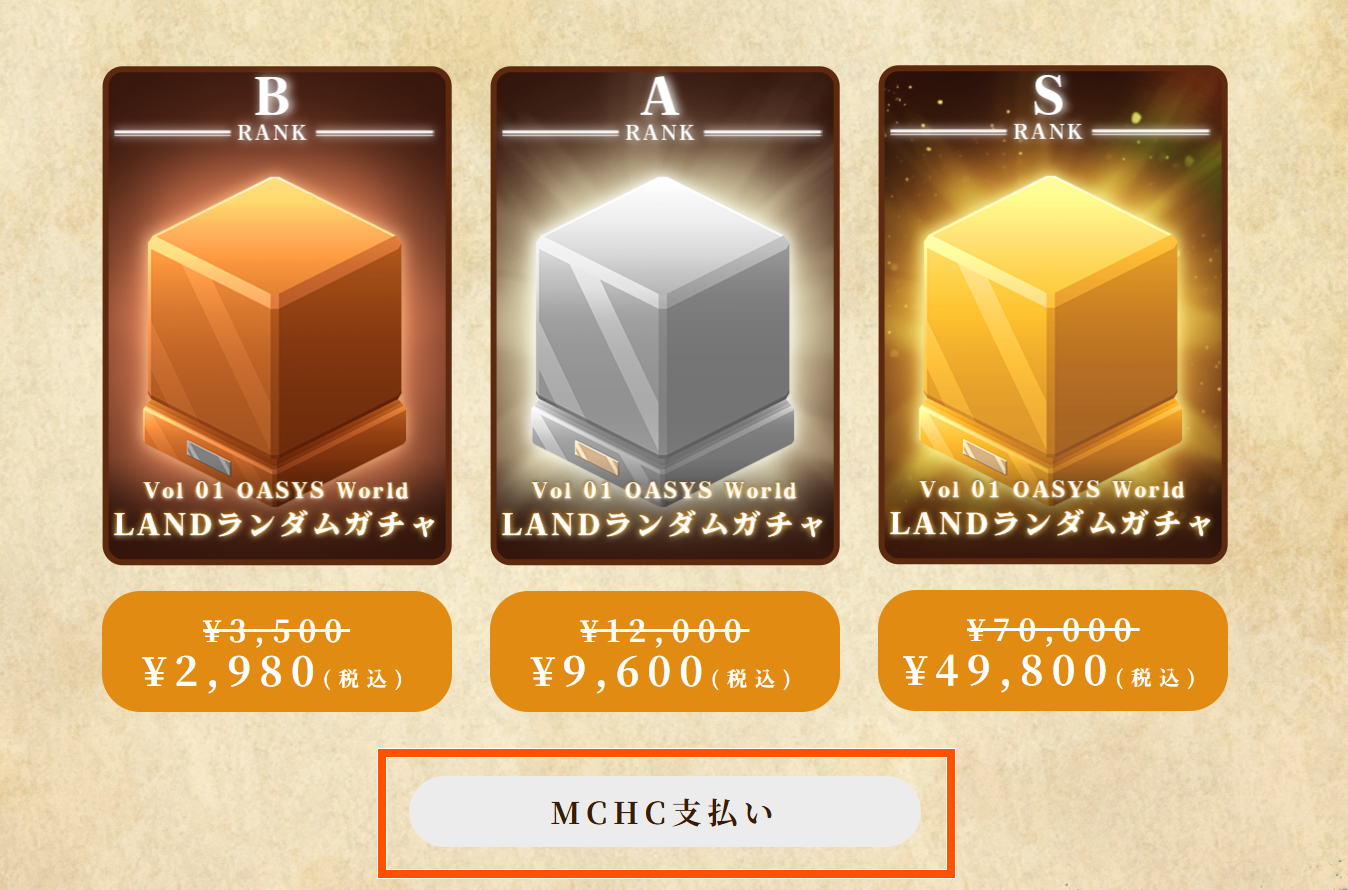
Step 2: Confirm your purchase details
Please confirm that your payment method has been switched to MCHC.

Step 3: Confirm the transaction
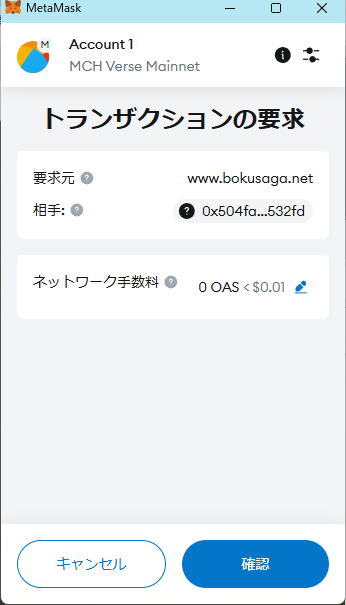
Click the "Purchase" button, carefully read the notes, and proceed with the purchase.
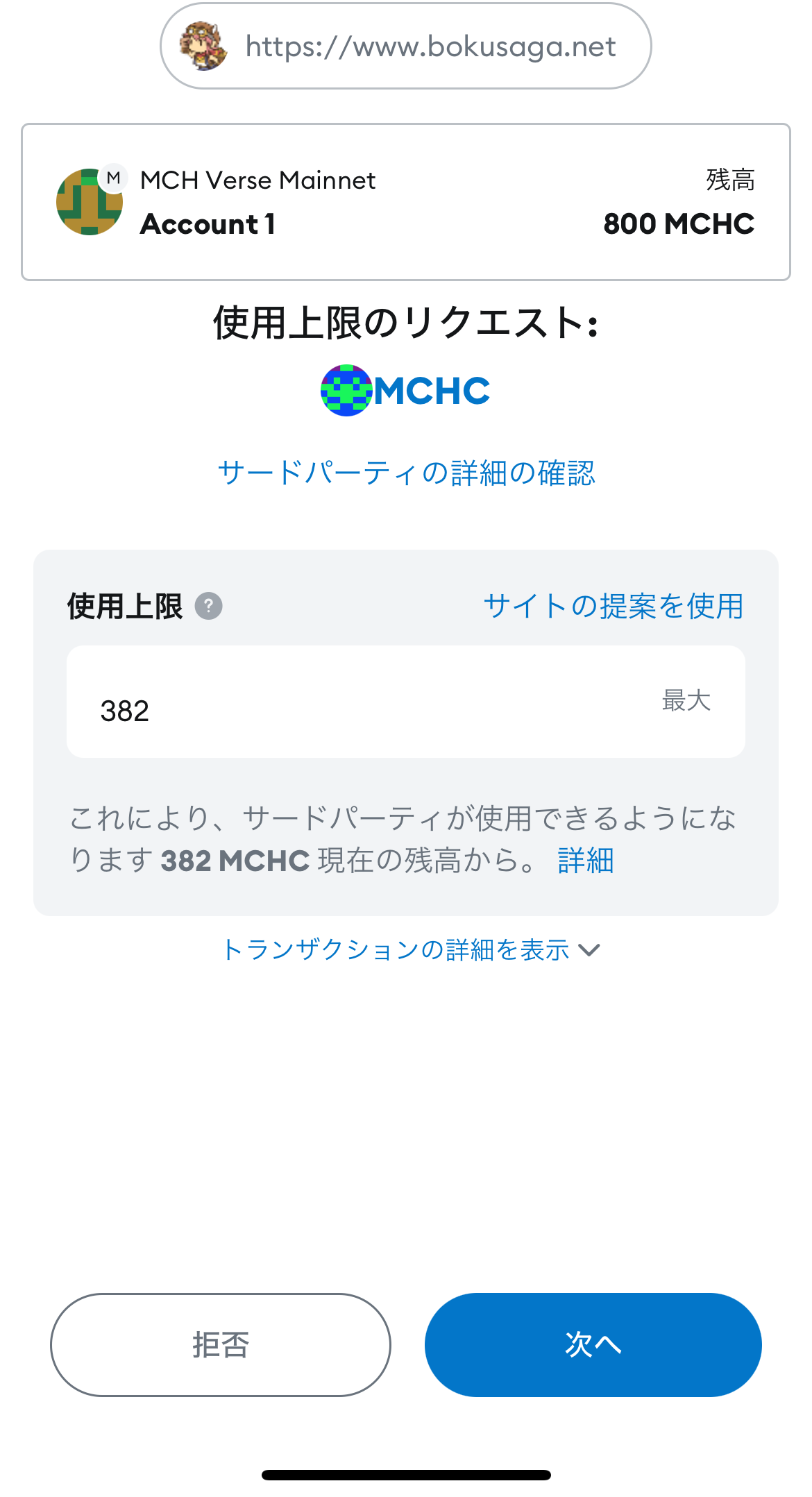
MetaMask will ask you to confirm the transaction twice. If there are no issues, click "Confirm" each time.
Please note that if you refresh the page or go back in your browser while a transaction is in progress, LAND may not be granted correctly.
・PC
First Transaction

Second Transaction
・Smartphone and Tablet
First Transaction
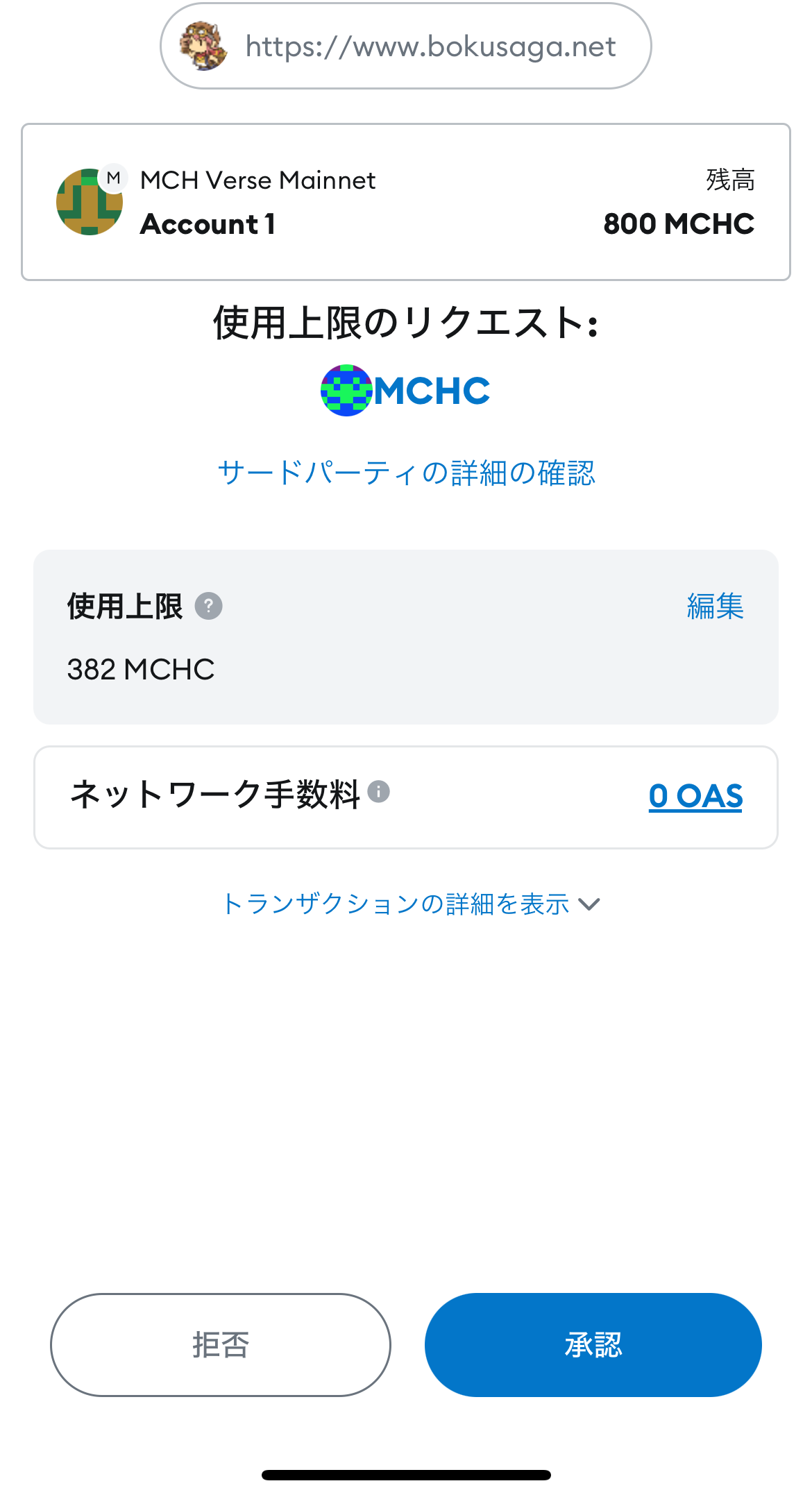
Second Transaction
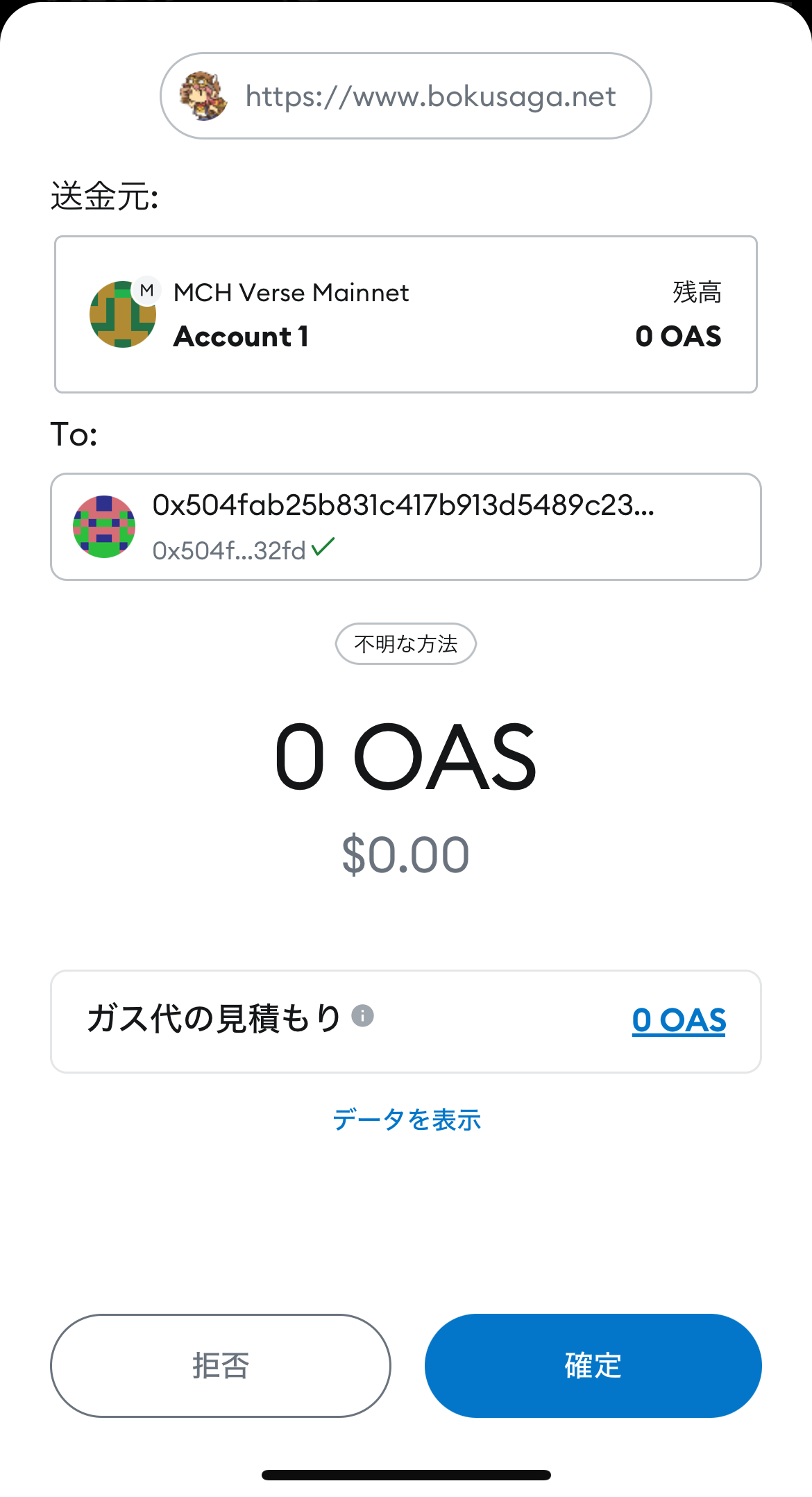
Once the transaction is complete, you will be granted LAND of the randomly selected rank.
*Depending on your connection environment, it may take some time for the transaction to be processed and for the LAND to be granted.
Step 4: Confirming LAND
After purchasing, please check the LAND you have acquired in the list of LANDs you own.
Switching MetaMask Accounts
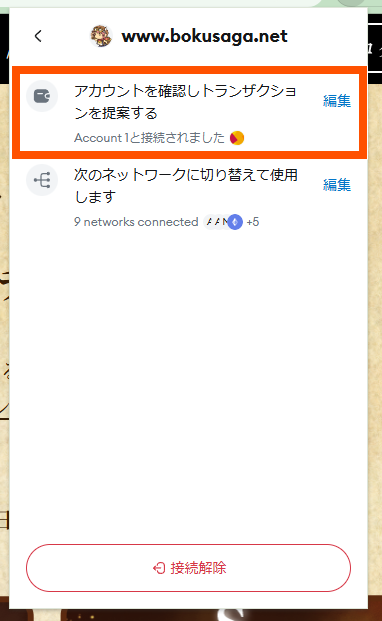
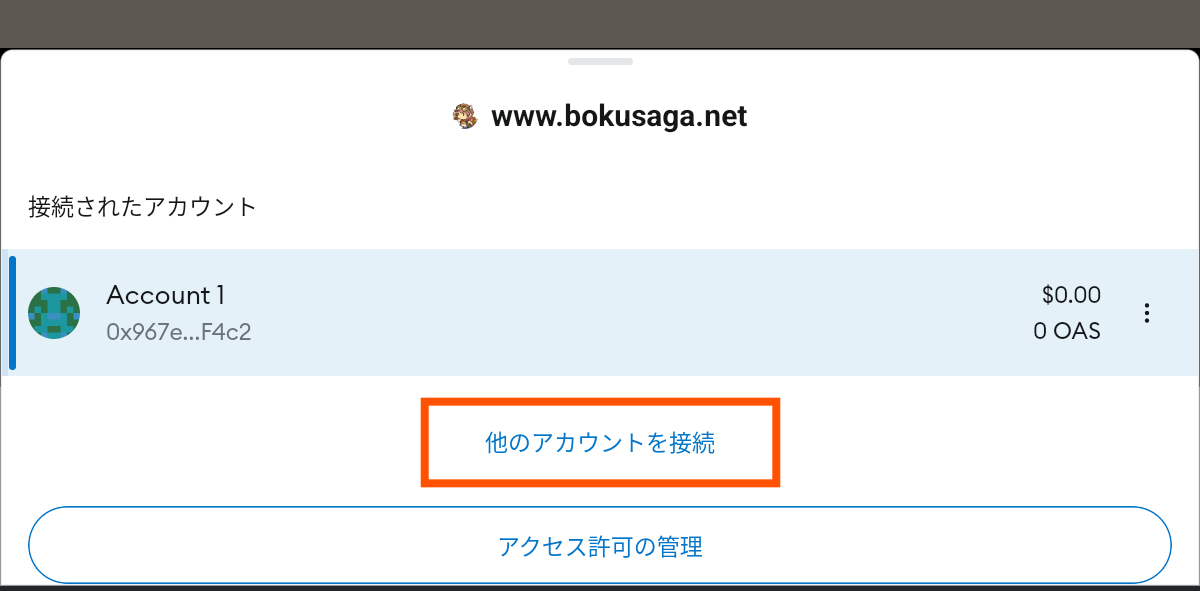
To purchase using MCHC from another account, click the icon in the upper right corner of MetaMask.
Select the account you want to switch to, then reload the page or click your wallet address.
For PCs
For smartphones and tablets
Contact Us
If you have any questions about your purchase, such as if your payment has been completed and your MCHC has been reduced but your LAND has not been granted, please contact us at the email address below.
Email address: support@bokusaga.net