🎈 4. NFT Marketplace
BokuSaga NFTs can be viewed on VVVVV, an NFT marketplace that supports ADIL.
VVVVV
On the official VVVVV website, you can browse NFT collections and view the NFTs held by a connected wallet.
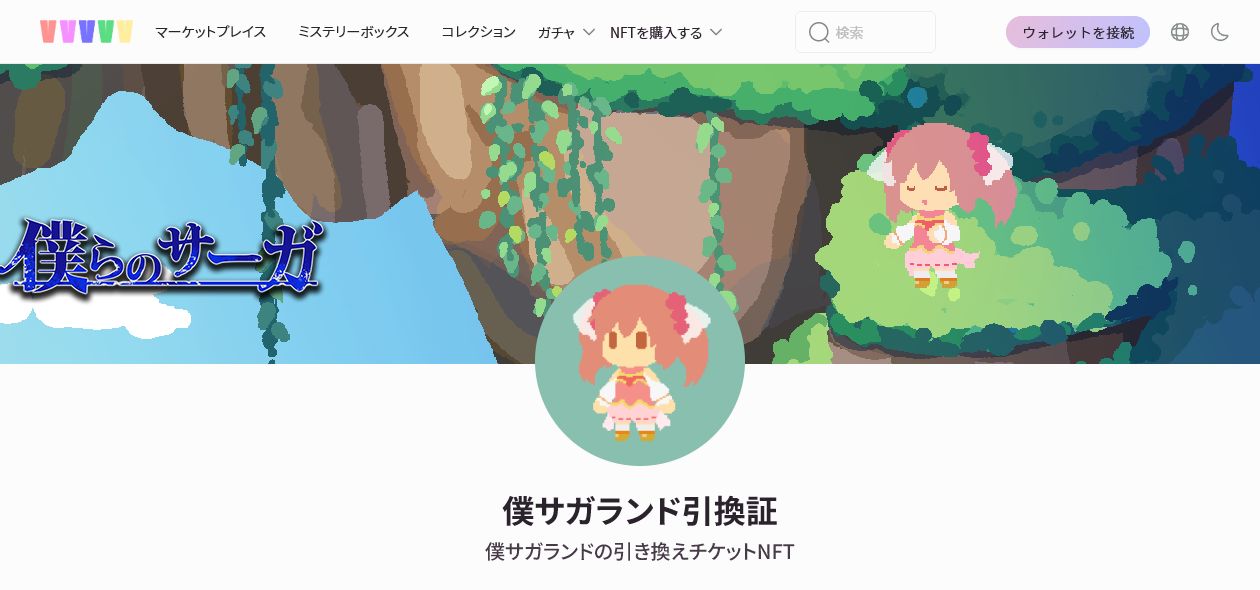
The BokuSaga collection on VVVVV displays NFTs related to BokuSaga. The page name, number of listed items, and prices may change.
Safety notice
- Confirm that the VVVVV URL is
https://www.vvvvv.my/.- Never enter your Secret Recovery Phrase or private key on a website.
- Before purchasing, listing, or signing, check the connected site, requested action, network, and fee shown in MetaMask.
How to Use VVVVV
See the following page for instructions on connecting MetaMask to VVVVV and viewing the NFTs held in your wallet.
⇒ How to Connect MetaMask to VVVVV and View NFTs
You do not need to transfer an NFT directly to VVVVV. When you connect the MetaMask account holding the NFT, NFTs associated with that wallet address can be viewed on the profile page.
List an NFT on VVVVV at a Fixed Price
This section explains how to list an NFT held by the MetaMask account connected to VVVVV for resale at a fixed price.
This procedure covers fixed-price resale listings only. Auction listings are not covered.
About the screenshots
The screenshots in this section were taken in a test environment to verify the operation steps. The NFT name, collection name, price, fees, and other displayed information may differ from the production environment.
Before listing an NFT
- You do not need to transfer the NFT directly to VVVVV. Connect the MetaMask account that holds the NFT you want to list.
- Confirm that the VVVVV URL is
https://www.vvvvv.my/.- Check the NFT, sale price, currency, and fees before proceeding.
- Do not approve an unexpected NFT transfer, excessive permissions, or a signature request whose contents you cannot verify in MetaMask.
STEP 1: Select Resell on the NFT Details Page
Connect MetaMask to VVVVV, then select the account area in the upper-right corner and open 「マイページ」 (My Page).
Select the NFT you want to list from 「NFT資産」 (NFT Assets) on the profile page.
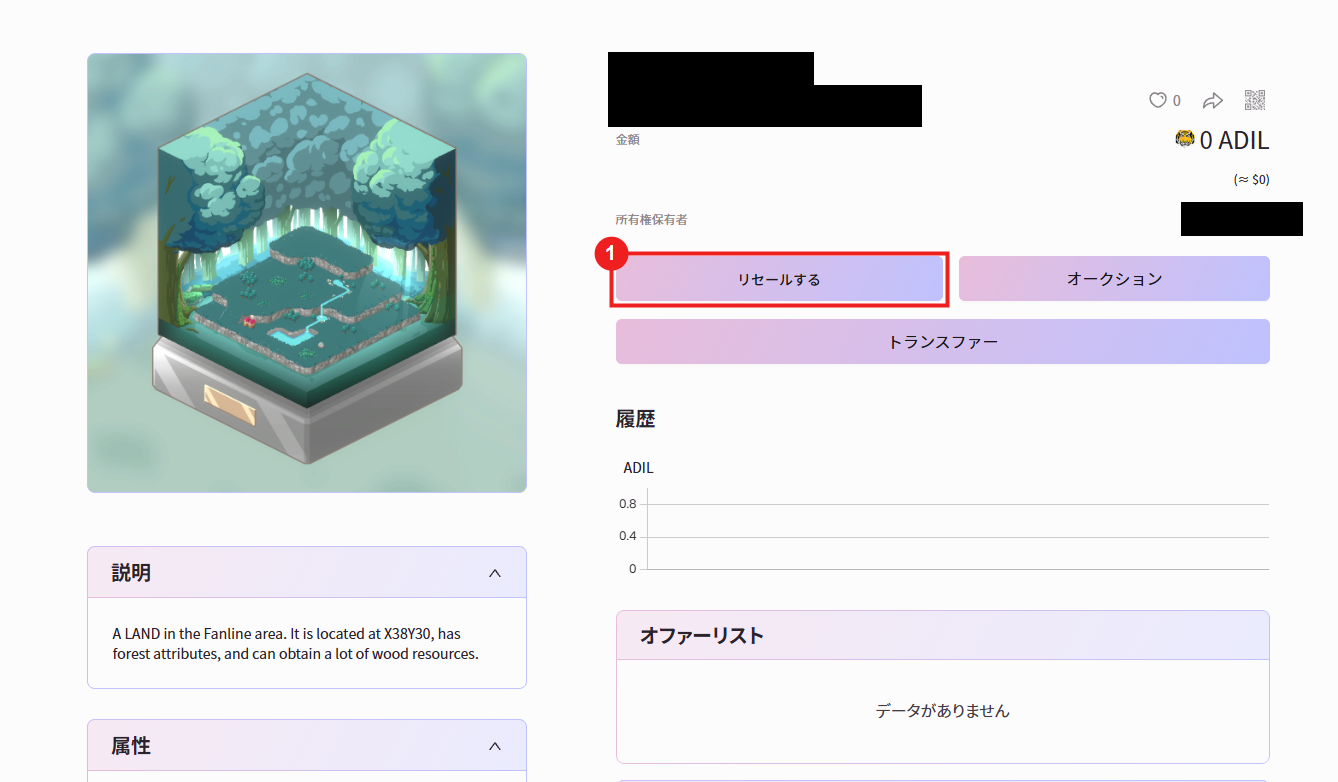
Check the NFT image and ownership status, then select 「リセールする」 (Resell) on the details page.
STEP 2: Review the Warning
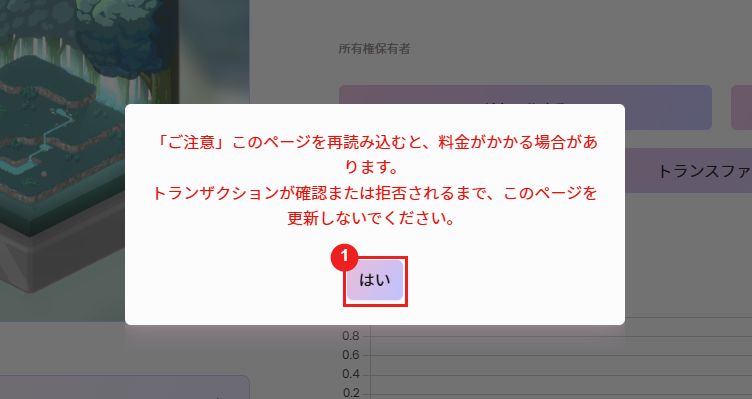
A warning explains that reloading the page may incur a charge and instructs you not to refresh the page until the transaction is confirmed or rejected.
After reviewing the warning, select 「はい」 (Yes) to continue.
STEP 3: Enter the Sale Price
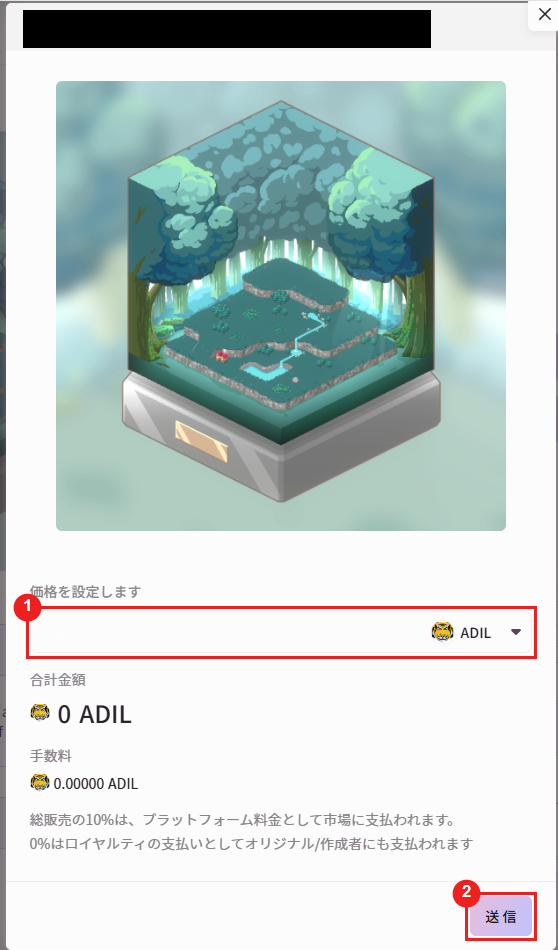
Enter the sale price in the 「価格を設定します」 (Set a price) field. Confirm that the selected currency is “ADIL.”
Review the total amount, fees, platform fee, and royalty shown after entering the price. Do not submit the listing if the displayed terms differ from what you intended.
STEP 4: Submit the Listing and Review the MetaMask Request
After confirming the sale terms, select 「送信」 (Submit) at the bottom of the screen.
When MetaMask opens, verify the connected site, NFT, network, contract, requested permissions, signature or transaction details, and fee.
The required actions may differ between the first listing and subsequent listings, such as an NFT approval followed by a listing signature. Review each request and approve it only if the contents are correct.
STEP 5: Confirm the Listing
After completing the MetaMask action, return to VVVVV and confirm that the sale price and other listing information are displayed for the NFT.
When cancelling a listing or changing its terms, review the information displayed by both VVVVV and MetaMask before proceeding.