Knight Order Features
By constructing the Communication Tower, you can join or create a knight order.
Leveling up the Communication Tower increases the maximum level of the knight order.
The maximum number of members in a knight order is 12.
Up to 3 Vice-Commanders can be appointed.
【About the Knights Order Join Mission】
The member count for the Knights Order Join Mission is counted per user, not per LAND.
Even if the same user owns multiple LANDs within the same Knights Order, they will only be counted as 1 user.
【Knight Order Screen】
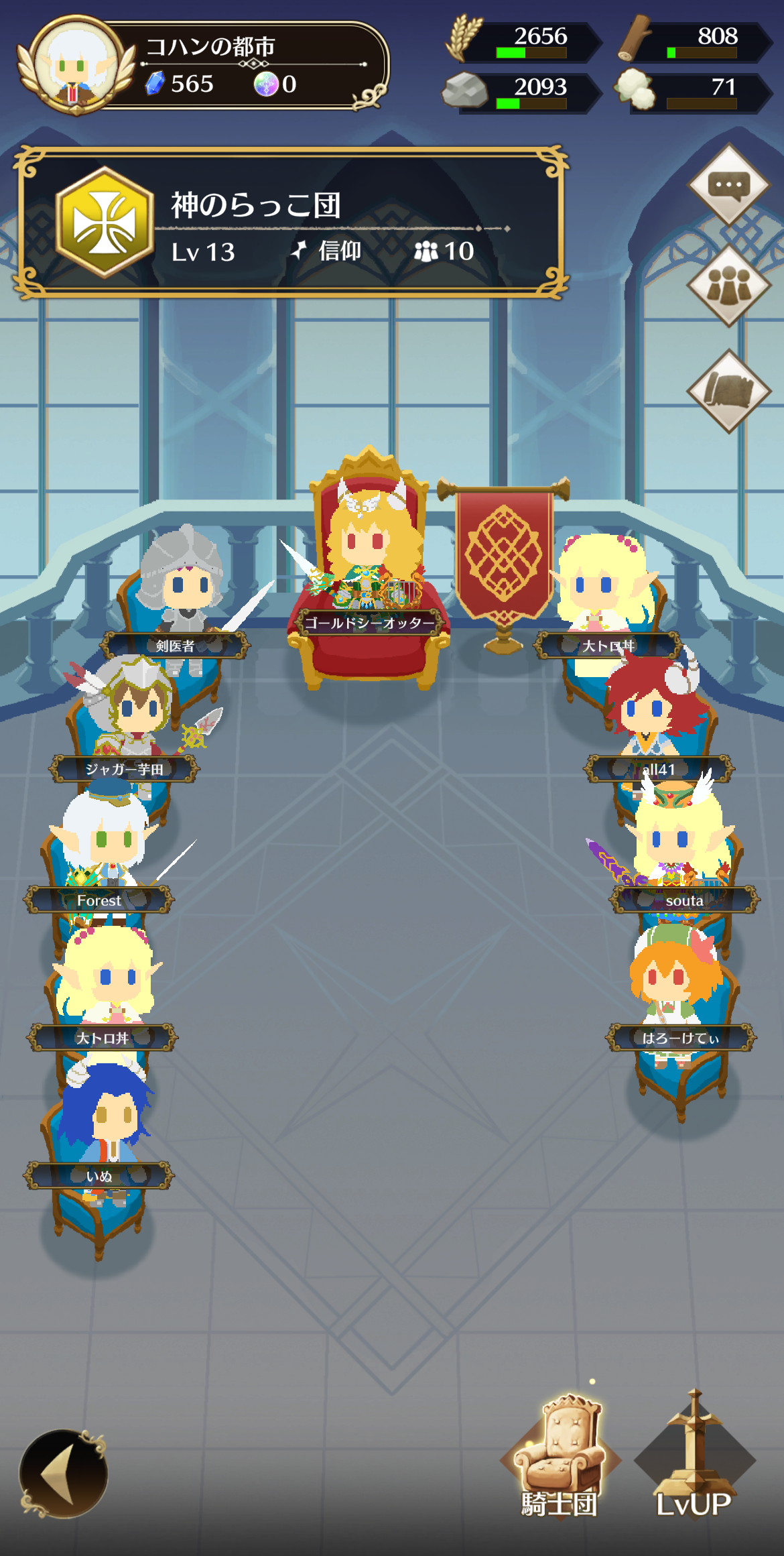
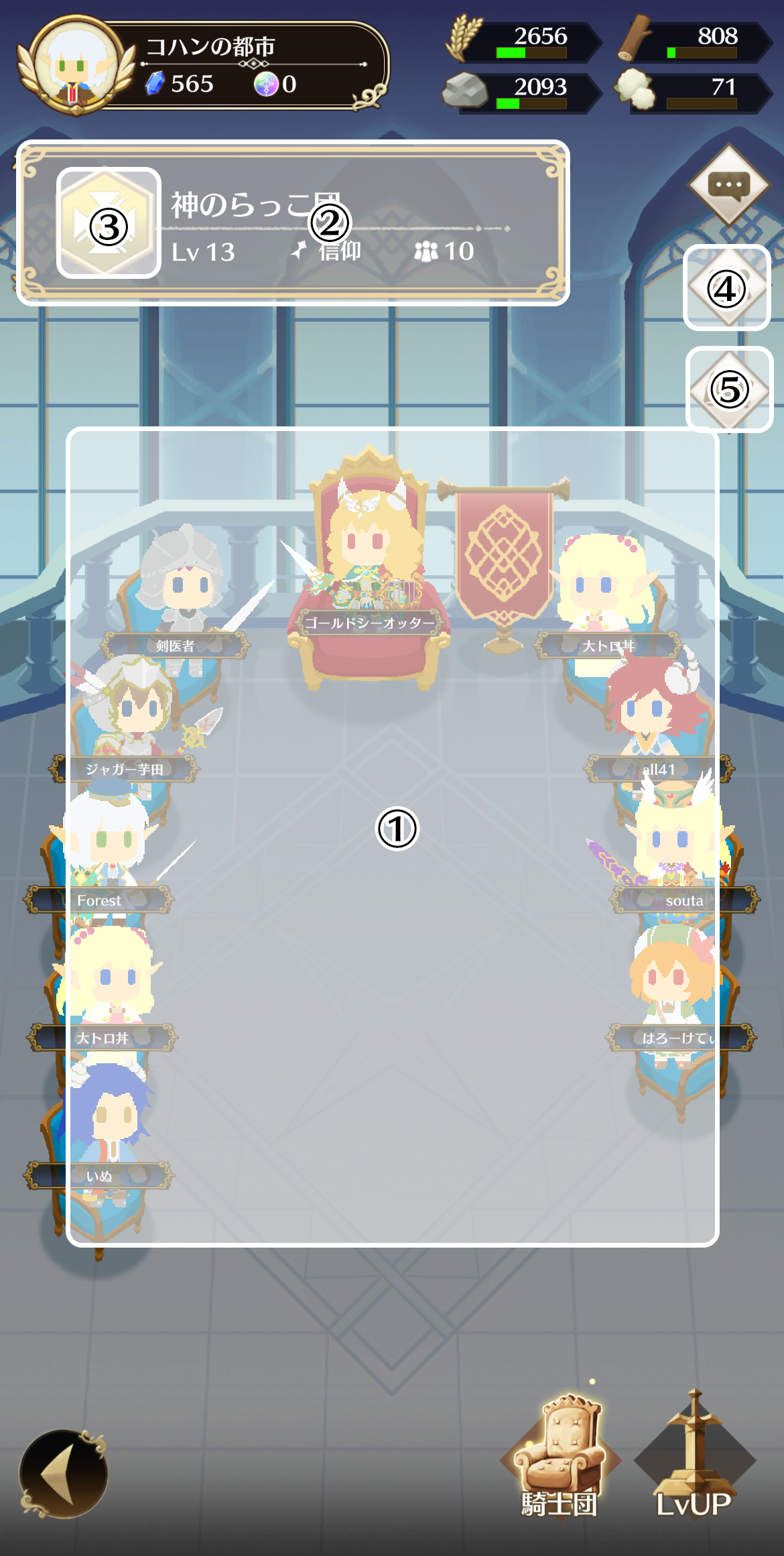
① Partner heroes of the members in the knight order are displayed.
② You can check the knight order emblem, name, level, policy, and number of members.
③ You can view the knight order profile. You can also leave the knight order from here.
④ You can check knight order members and their contribution.
The Commander can appoint Vice-Commanders, approve applicants, and remove members. Vice-Commanders can approve applicants and remove members.
⑤ You can check the bases owned by the knight order.
For knight order chat, please see Message.
【Knight Order Profile Screen】
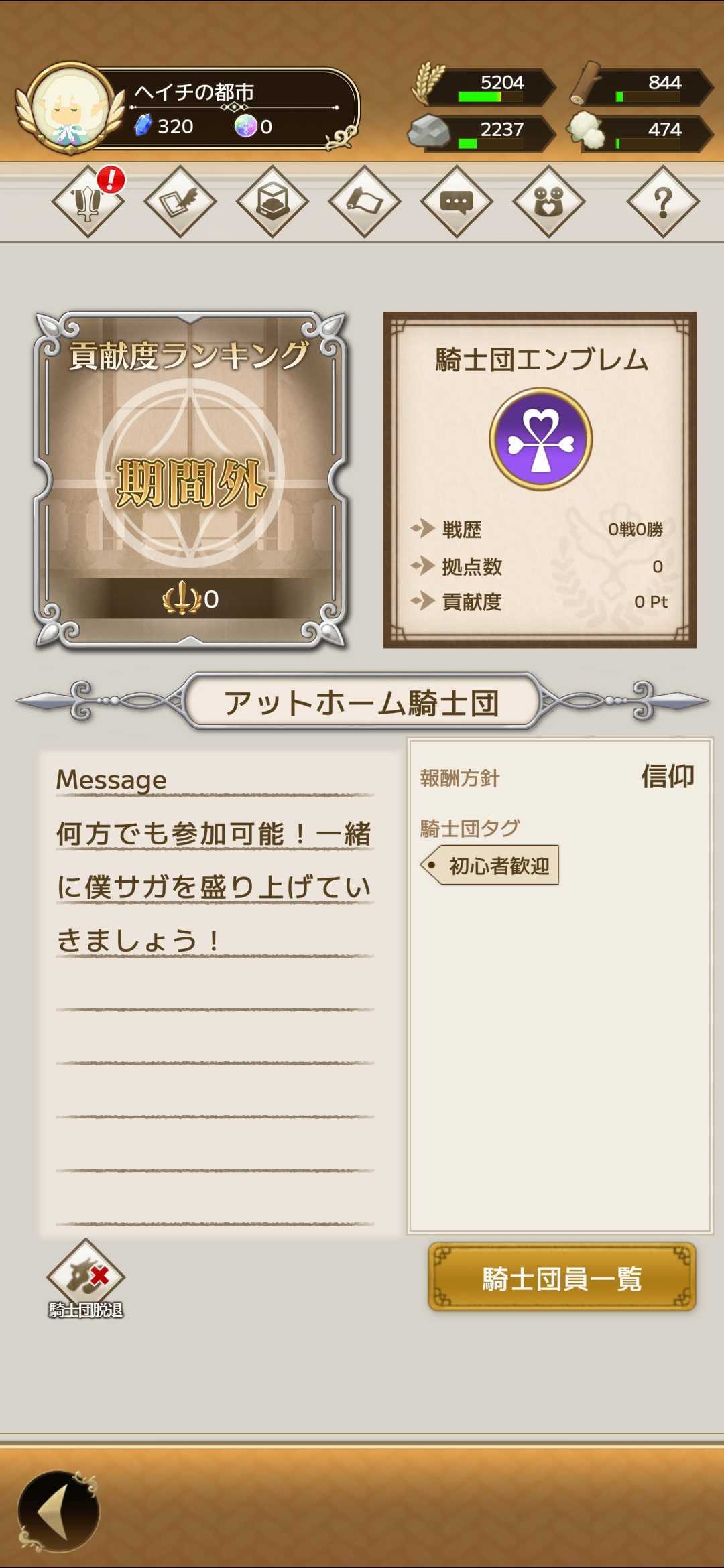
You can check the ranking, battle records, and policy of your knight order.
You can leave the knight order from the bottom-left of the screen.
After leaving, you cannot join another knight order for one week.
【Knight Order Level Up】
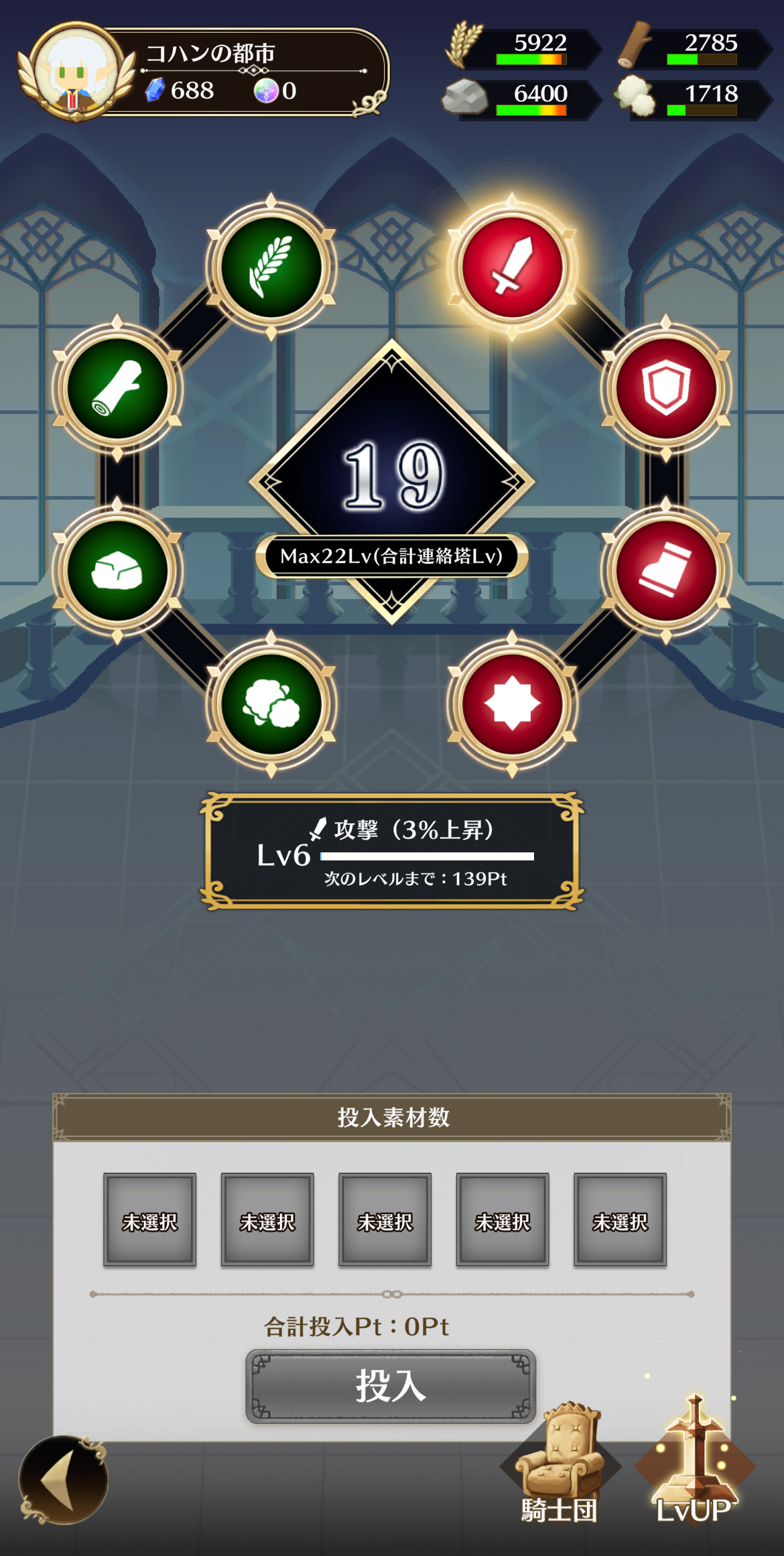
By increasing the knight order level, you can gain various effects.
There are 8 types of parameters: Attack, Defense, Movement Speed, Luck, Food Production, Wood Production, Stone Production, and Cotton Production.
Elements are required to increase the knight order level.
The maximum knight order level is determined by the total Communication Tower levels of its members, and can be increased up to 240.
Additionally, the maximum level for each parameter is 50.