⚔️Hero Screen
This is the screen where you can train heroes, research soldiers, and train them.
Hero List
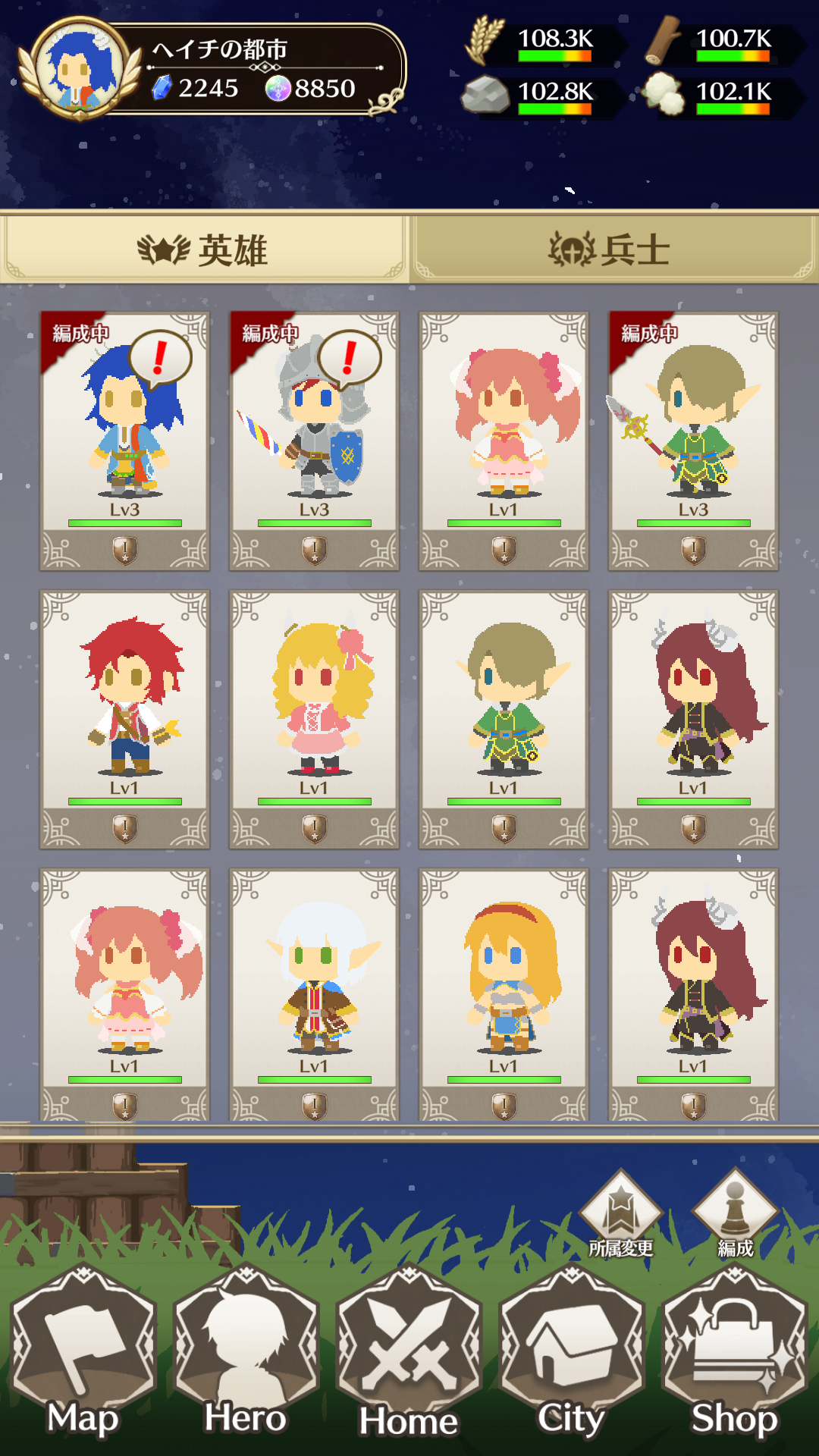
You can check the heroes you have contracted.
By selecting a hero, you can view their detailed information.

Level Up Available

Incapacitated

Marching

Recovering
Speech bubbles may appear for each hero.
Heroes that are incapacitated or marching will not be targets of the VIP skill "Hero Recovery Spirit."
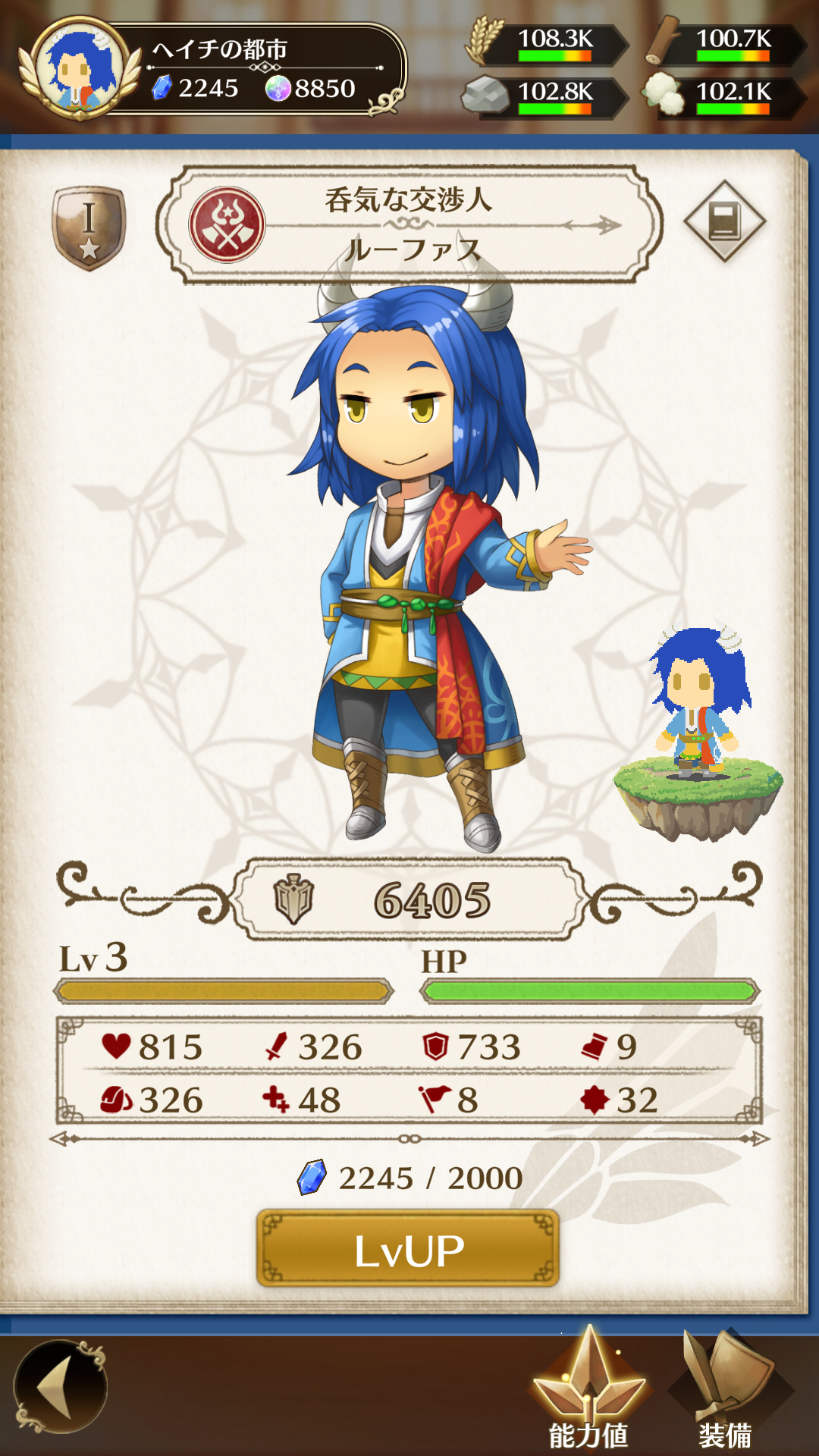
Hero Details
In Hero Details, you can check stats, change equipment,
and perform level-ups or revival.
【Stats】
Heroes have 8 types of stats.
〈♥️HP〉 Consumed when taking damage in battle or during marching.
〈🗡️Attack〉 Used when initiating combat.
〈🛡️Defense〉 Used when being attacked.
〈👟Speed〉 Movement speed during marching. Higher values mean faster travel.
〈🎒Capacity〉 Amount of resources that can be carried back when looting.
〈➕Recovery〉 HP recovered per hour while staying in a territory.
〈🚩Leadership〉 Applies bonuses to the stats of equipped soldiers.
〈🌟Luck〉 Affects success rate in Treasure Hunt.
【Level Up】
Heroes gain experience through marching and treasure hunting.
By collecting experience and gems, heroes can level up.
Leveling up increases their stats.
【Revive】
When a hero's HP reaches 0, they become incapacitated.
You can revive them with 1 HP by consuming resources.
To recover a hero's HP, they must be assigned to a party.
Incapacitated heroes will not recover even if assigned to a party.
Equipment
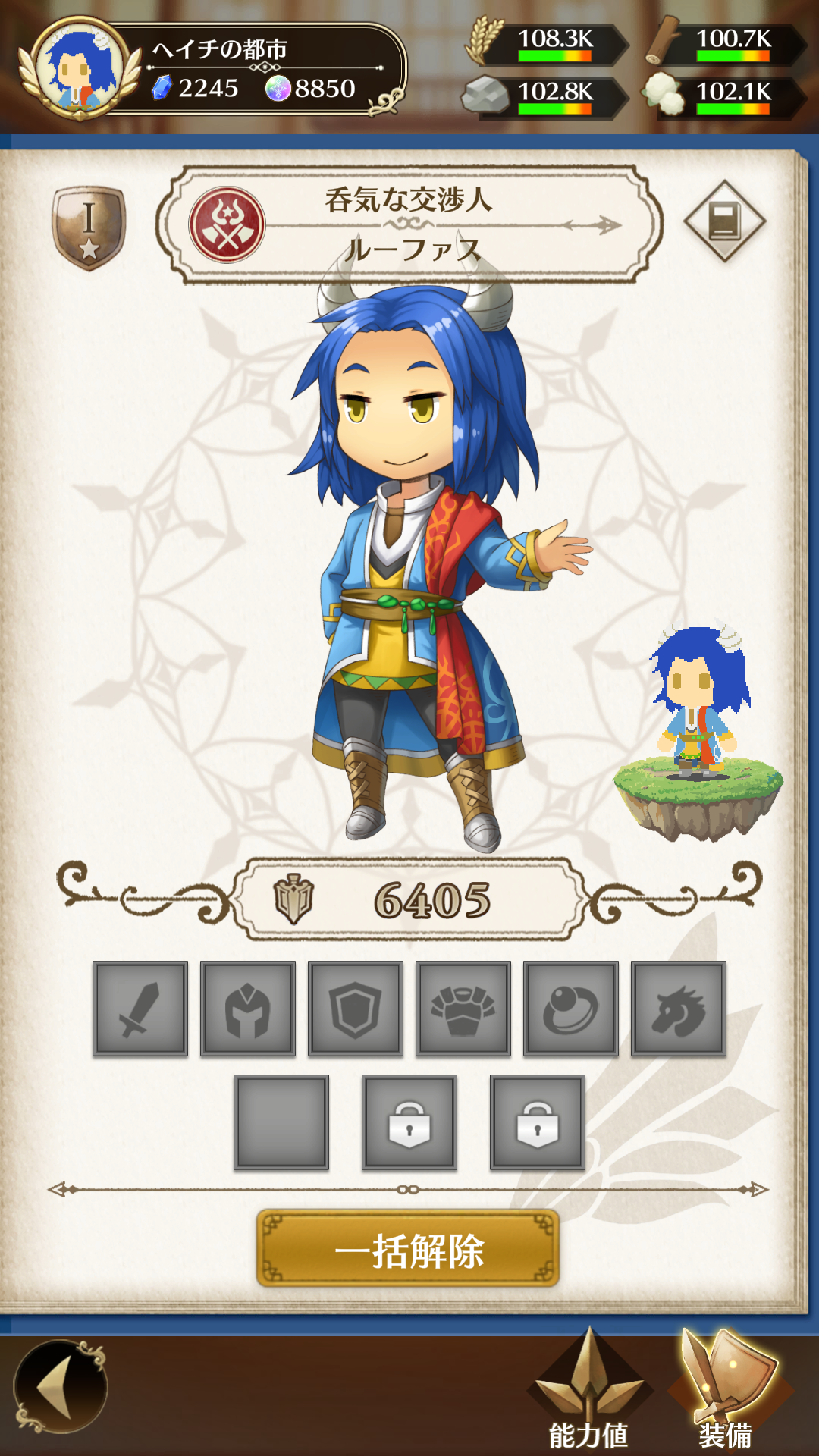
Heroes can equip Weapons, Helmets, Shields, Armor, Accessories, Pets, and Soldiers.
Equipping items increases the hero's stats.
Equipment icons may display G or N.
G indicates equipment obtained from gacha.
N indicates equipment that has been turned into an NFT.
Additionally, equipment of Gold rarity or higher obtained from Treasure Hunt, Silver rarity or higher crafted in the Blacksmith,
and equipment obtained from events can be converted into NFTs using Orbs.
NFT conversion can be performed from the Home Page (HP) at the end of the season.
Auto Equip Feature
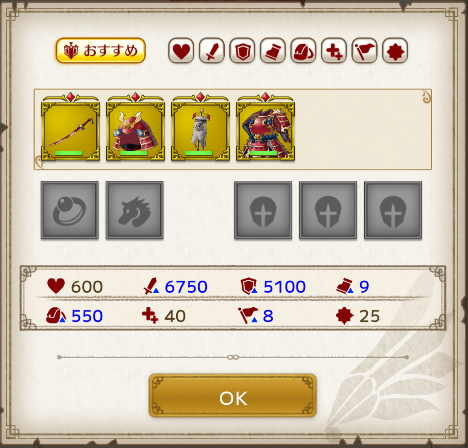
By selecting a stat icon, you can automatically equip recommended gear for that stat.
Selecting "Recommended" will choose equipment based on overall performance.
Set Effects
Some equipment has Set Effects,
which are divided into Attribute Effects and Rarity Effects.
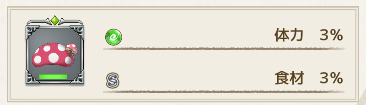
To activate set effects, the following conditions must be met:
【Attribute Effect】
All four equipment pieces (Weapon, Helmet, Shield, Armor) must have matching attributes.
【Rarity Effect】
All four equipment pieces must have matching rarity.
【Attribute + Rarity Effect】
All four equipment pieces must match in both attribute and rarity.
【Additional Requirements】
・Equipment must be unlocked
・The hero must be assigned to a party
Even if equipment is unlocked,
if any of the four equipment slots are empty,
or the hero is not assigned to a party, the effect will not activate.
Equipment unlocking can be done at the Blacksmith.
For details, see Blacksmith & Elements.
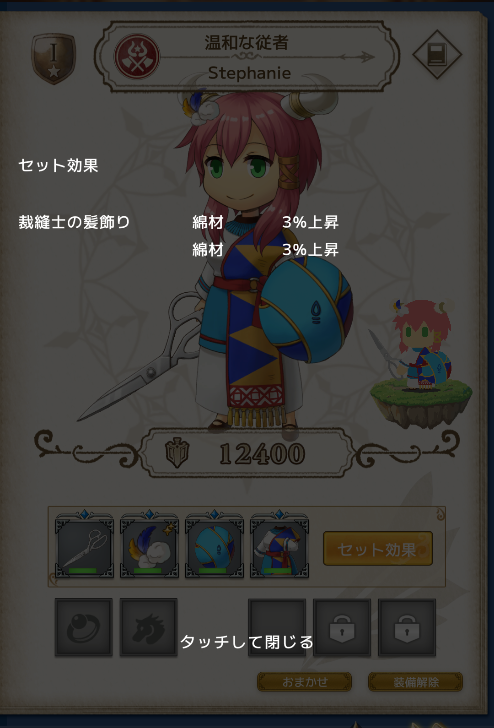
When the conditions are met, the Set Effect button becomes available,
allowing you to check the active effects.
Equipment Expansion Pass
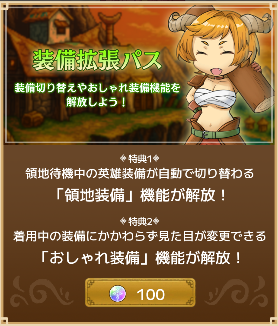
The Equipment Expansion Pass can be purchased with Orbs and unlocks City Equipment and Cosmetic Equipment.
It also unlocks the equipment preset feature.
Battle Equipment
Used to set equipment for marching.
Automatically switches to battle equipment when marching.
It is recommended to set equipment for combat or treasure hunting.
Territory Equipment
Used to set equipment while staying in a territory.
Automatically switches after returning from marching.
It is recommended to equip items with high recovery.
Cosmetic Equipment
Used to customize the hero's appearance only.
Set your favorite visual equipment.
Preset Save Feature
Allows you to save the current hero's equipment.
Saved equipment can be loaded on other heroes.
Soldiers are not included.
Preset Load Feature
Allows you to load saved preset equipment.
If an item is already equipped by another hero, it will not be equipped.
Hero Profile
You can check the hero's profile via the "Details" button.
For each hero and their parameters, see Hero Information.
【Soldier List】
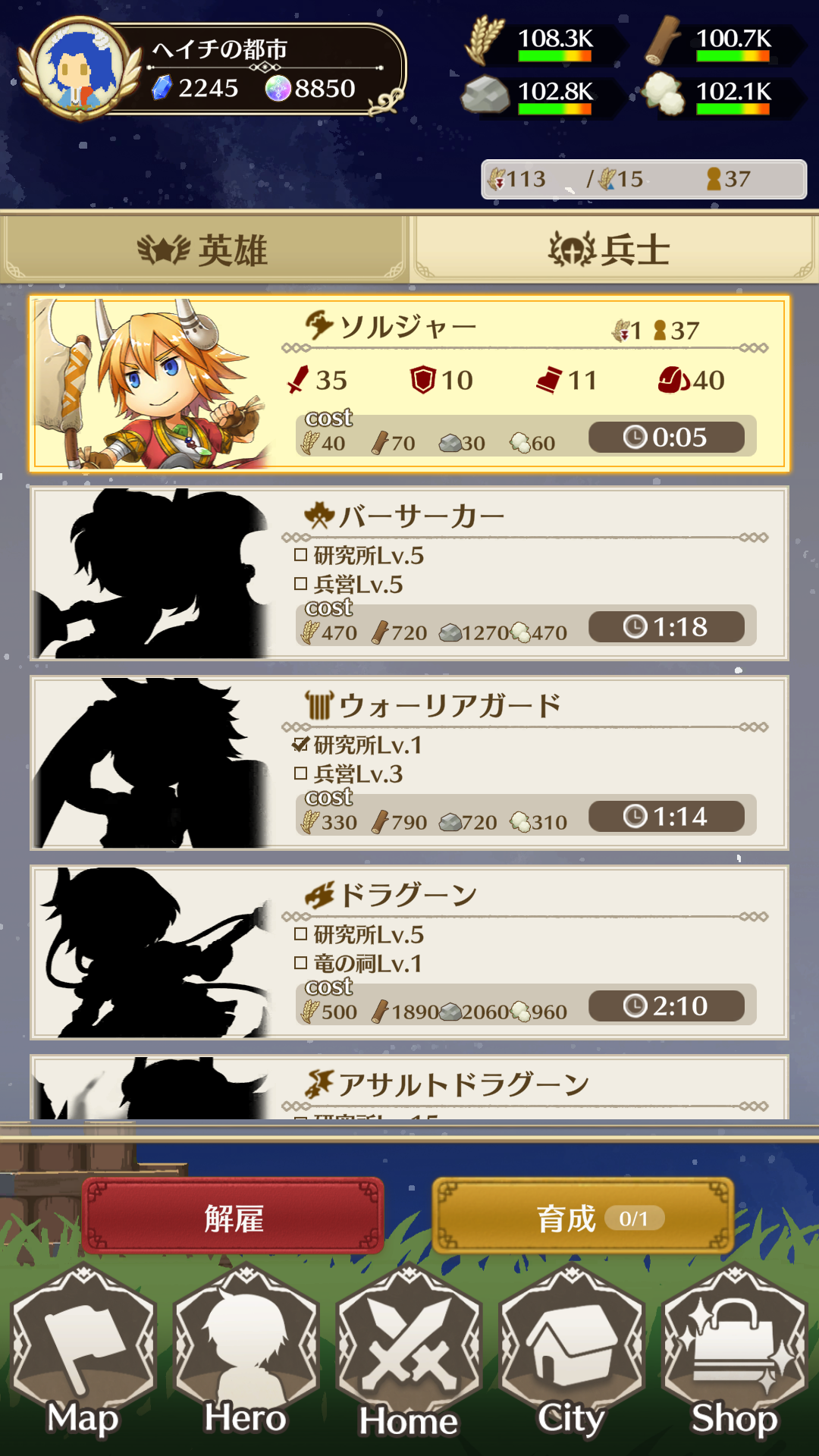
This is the screen where you can manage soldiers.
By constructing Barracks and Research Labs, you can research and train soldiers.
To unlock stronger soldiers, further building construction and upgrades are required.
Soldiers require upkeep, and if you train more than your territory's food production can sustain, they will starve.
Soldier training has two types:
training using resources and training using Soul Crystals.
To obtain Soul Crystals, the building Temple of Souls is required.
For details about the Temple of Souls, please refer to Temple of Souls.
【Training Using Resources】
This training method consumes resources.
Training time can be reduced by increasing the Lv of buildings corresponding to the troop type and by using the Territory Skill: Spirit of Training.
※The minimum training time per soldier is 1 minute, and it cannot be reduced below that.
【Training Using Souls】
This training method consumes Soul Crystals.
When using Souls, the training time applied will be reduced to one-tenth of the total training time for all soldiers being trained.
Therefore, training multiple soldiers at once allows for more efficient training.
Soldiers have the following attributes:
Infantry, Cavalry, Scouts, and Sappers (4 types)
There are 27 total soldier types:
9 types × 3 races.
For each soldier and their parameters, see Soldier Information.
【Formation Screen】
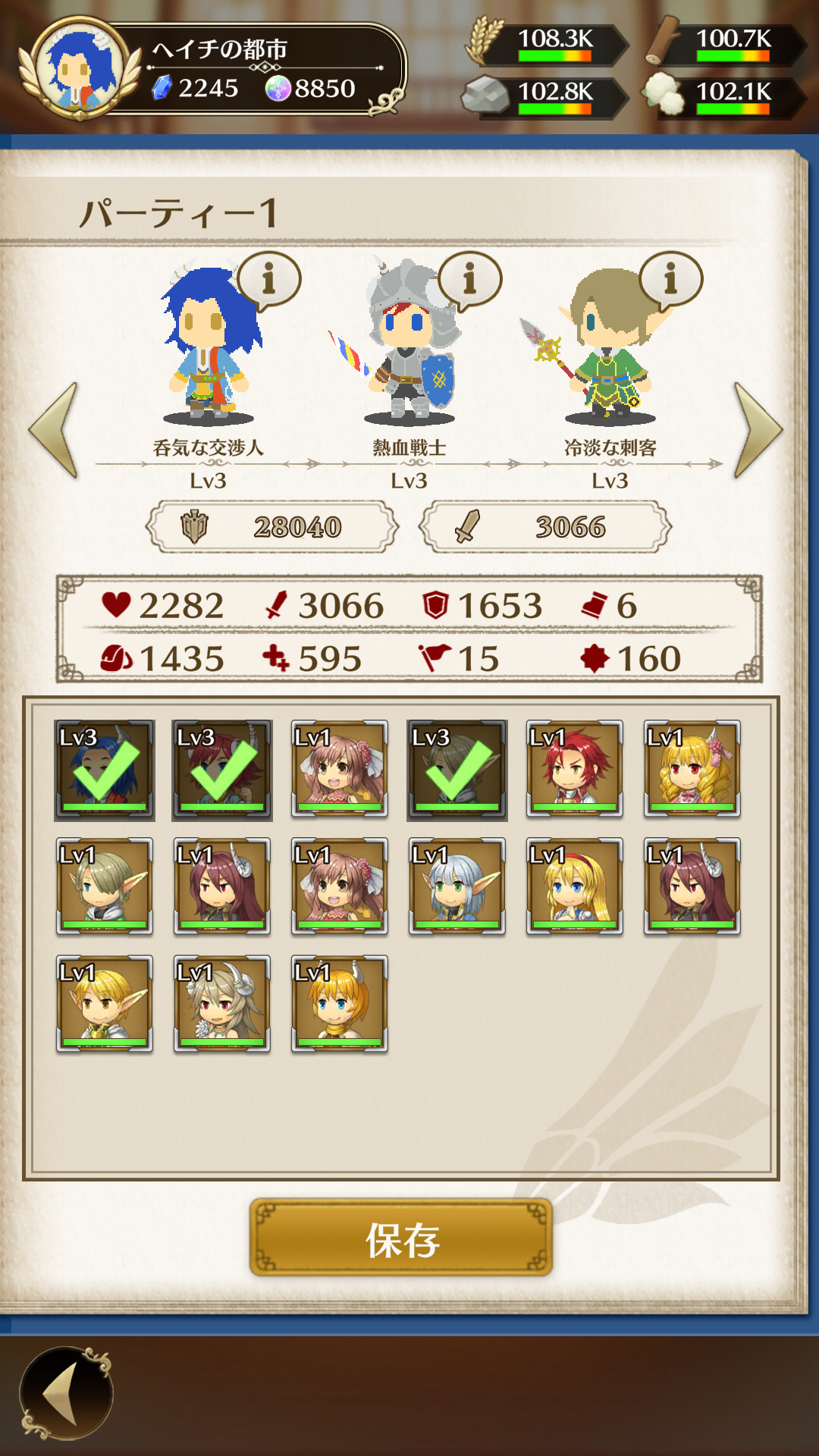
This feature allows you to form combat parties.
You can form parties by constructing the Command Tower.
Each party consists of 3 heroes.
Leveling up the Command Tower increases the number of parties you can form.
Up to 4 parties can be formed.
Formed parties can be used for marching and defense.
【Sapper Settings】
You can configure building destruction settings for Sappers in the party formation screen.
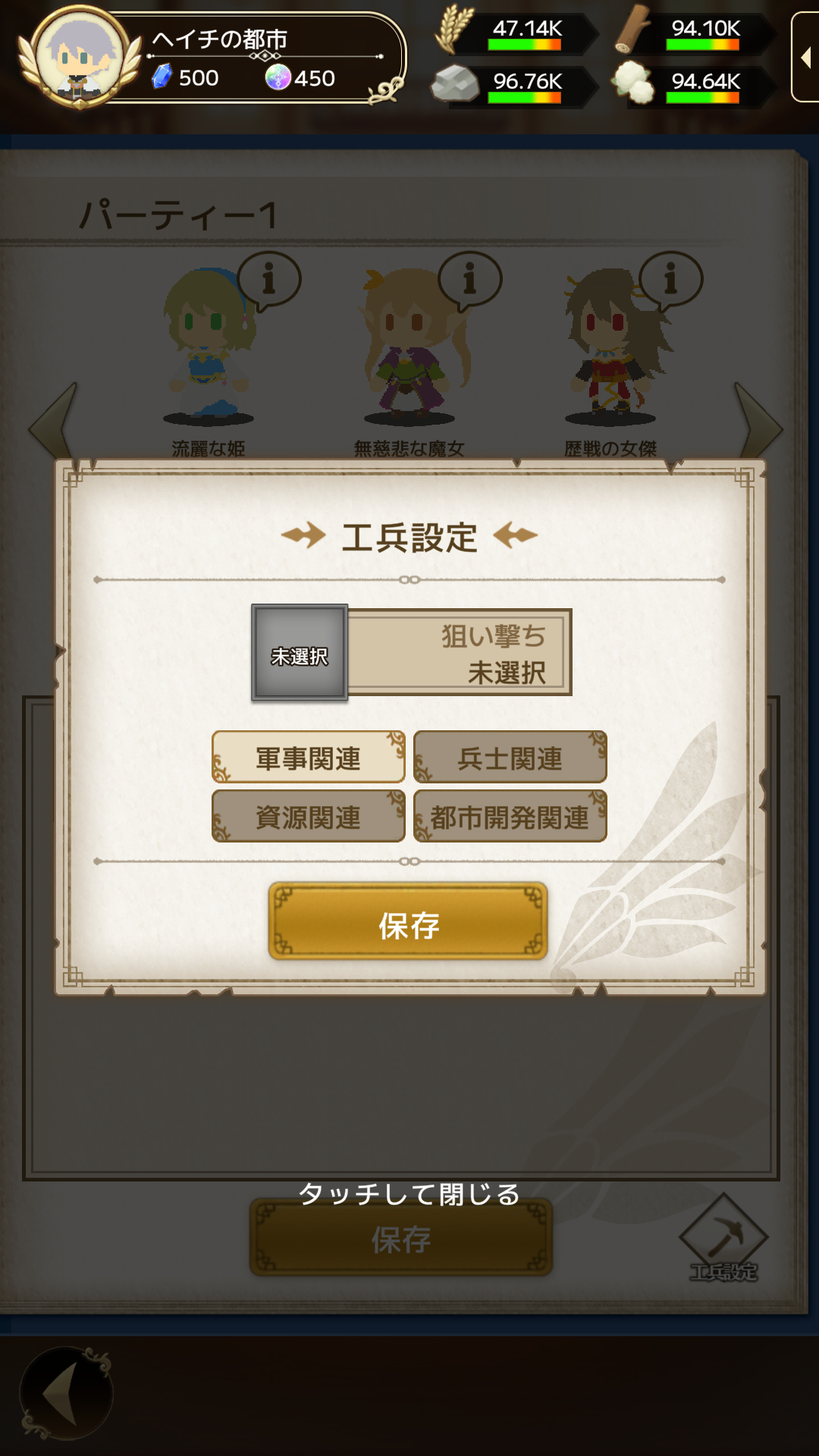
This takes effect in PvP when Sappers are equipped in the party.
You can set which facilities to prioritize when attacking.
You can also specify secondary priority targets.
Completely destroying a building removes its effects.
If a Watchtower is present, Sappers will prioritize it first.
【Change Assignment】
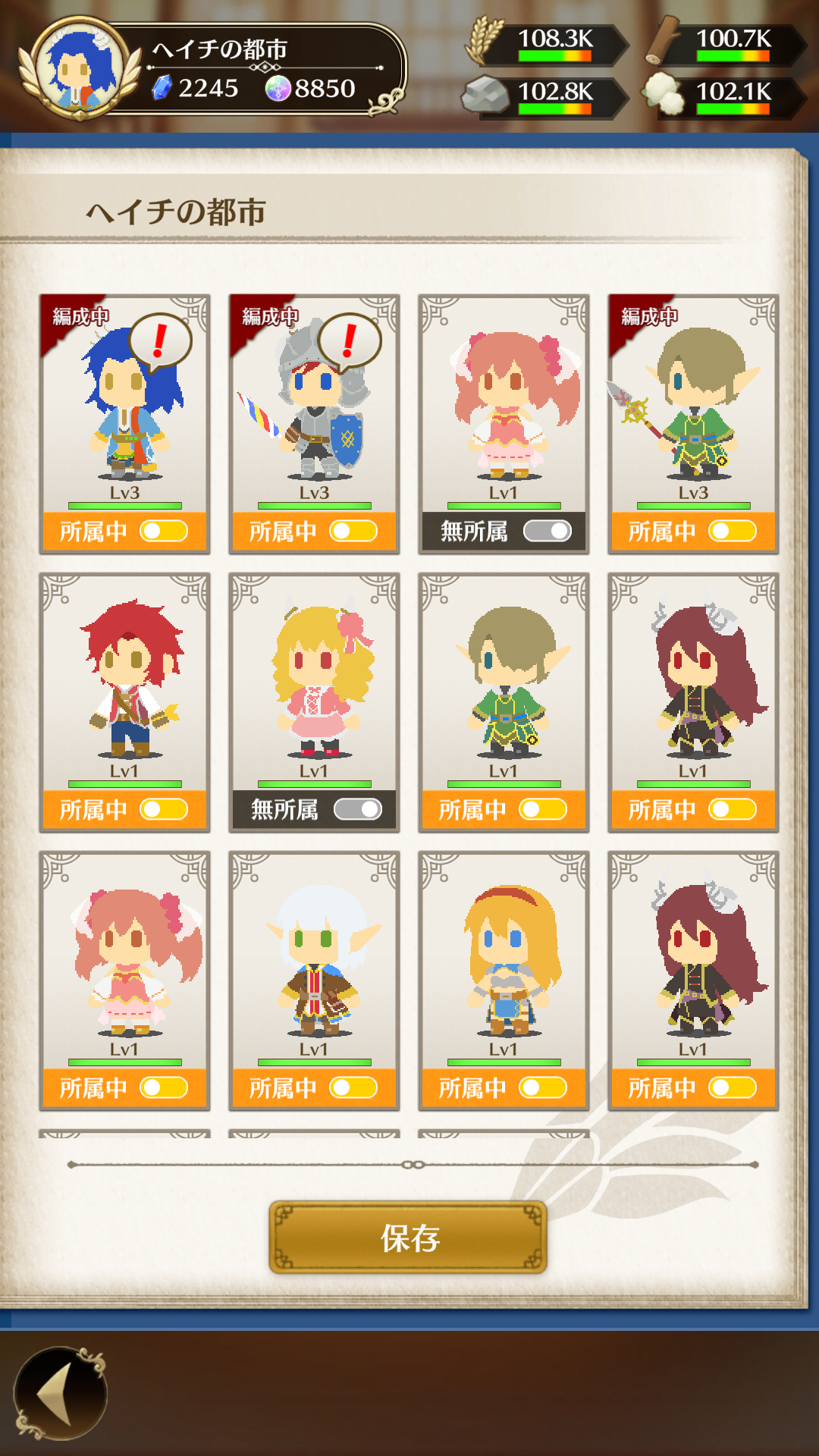
You can move heroes to another territory within the same nation and change their assignment.
The following conditions apply when moving:
・Heroes assigned to a party cannot be moved
・Dead heroes cannot be moved
・All equipment will be removed when changing assignment