➡️ How to Transfer Equipment NFTs to Your Wallet
Preparation
You must connect your wallet to the official website.
Please refer to 👛 How to Connect Your Wallet to the Official Website.
Table of Contents
Equipment Transfer Method: PC Version
Equipment Transfer Method: Smartphone Version
【Equipment Transfer Method (PC Version)】
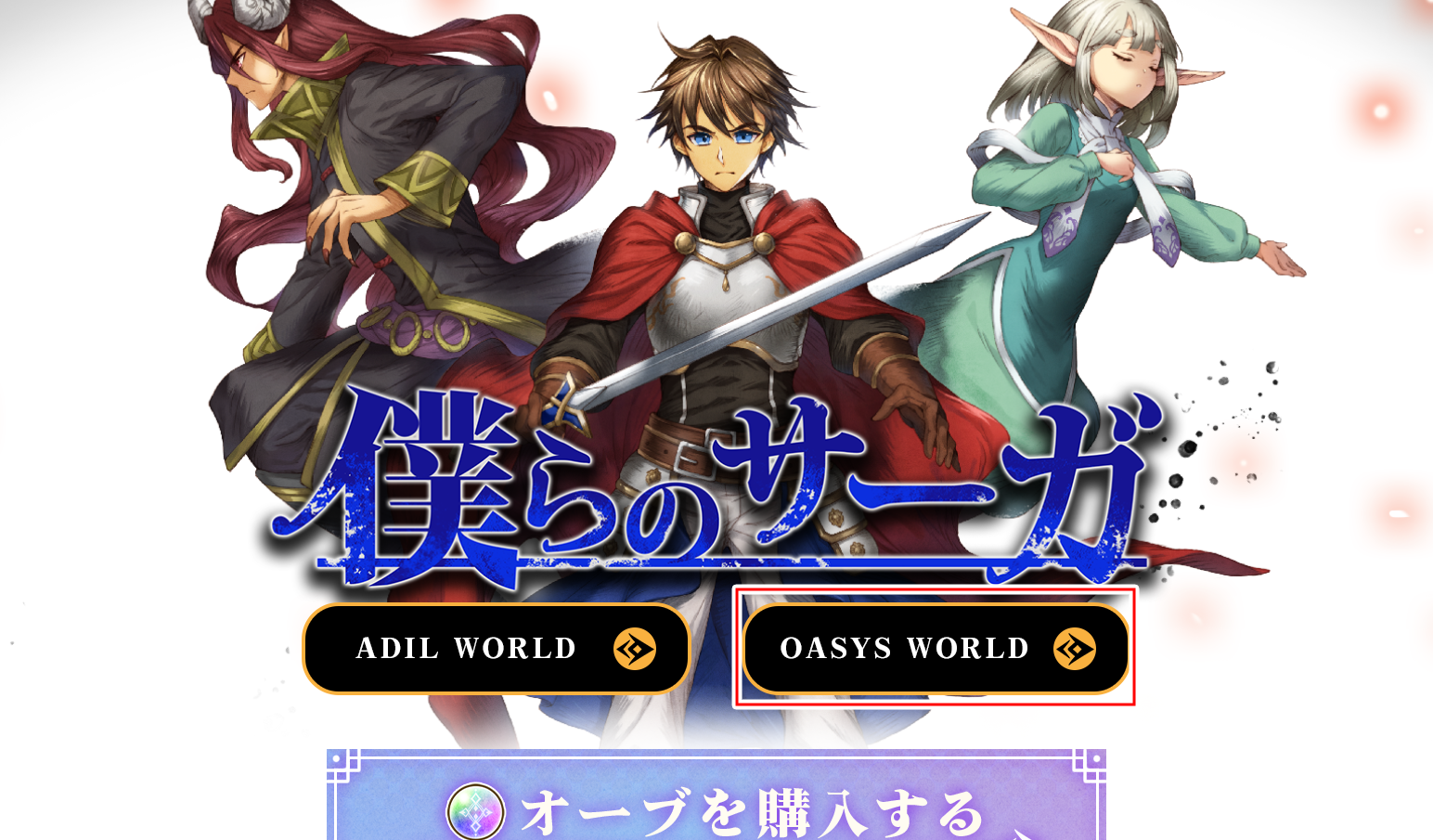
Step1 Click WORLD on the Website
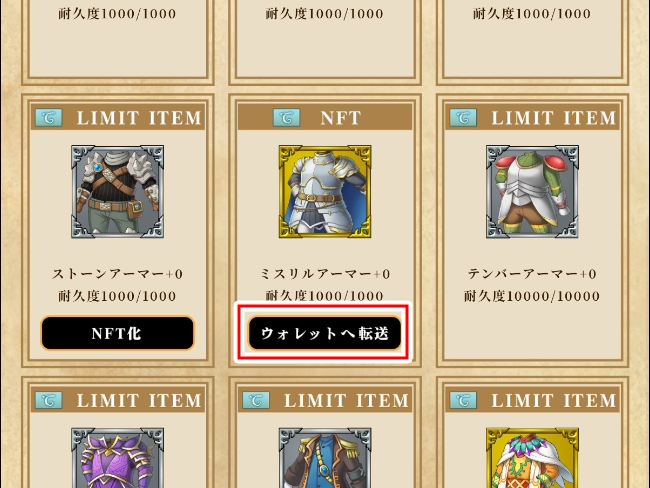
Step2 Click Transfer to Wallet on the Equipment You Want to Transfer
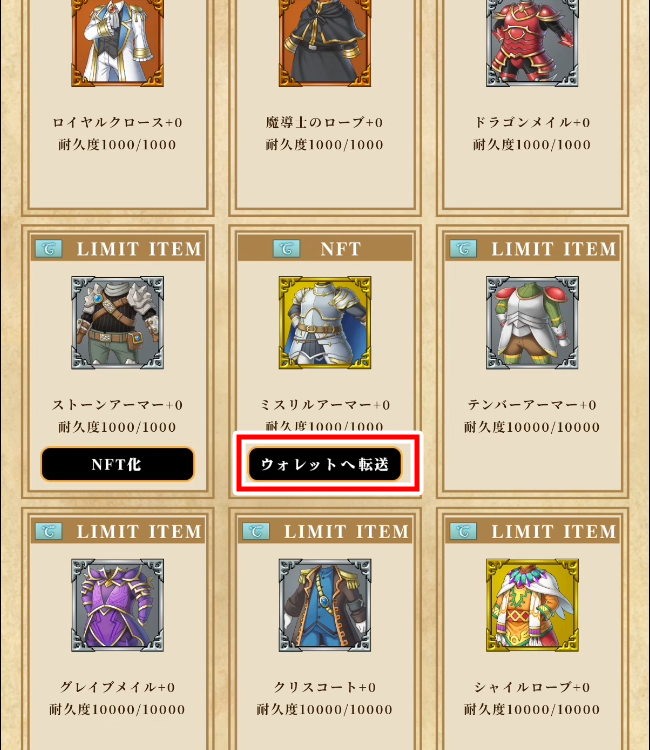
NFT Equipment (items marked with 『NFT』) can be transferred to your wallet.
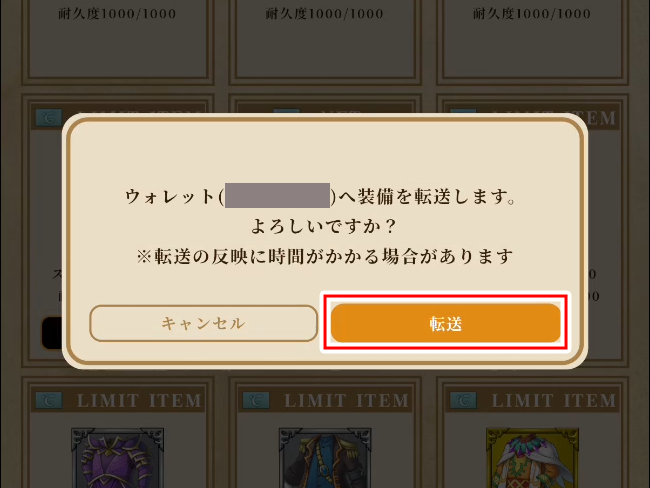
Step3 A Pop-Up Will Appear. Click Transfer
Please confirm that the displayed wallet ID is correct.
※After clicking Transfer, the pop-up will close and the transfer process will begin. The screen will return once the transfer is complete, so please wait for a moment.
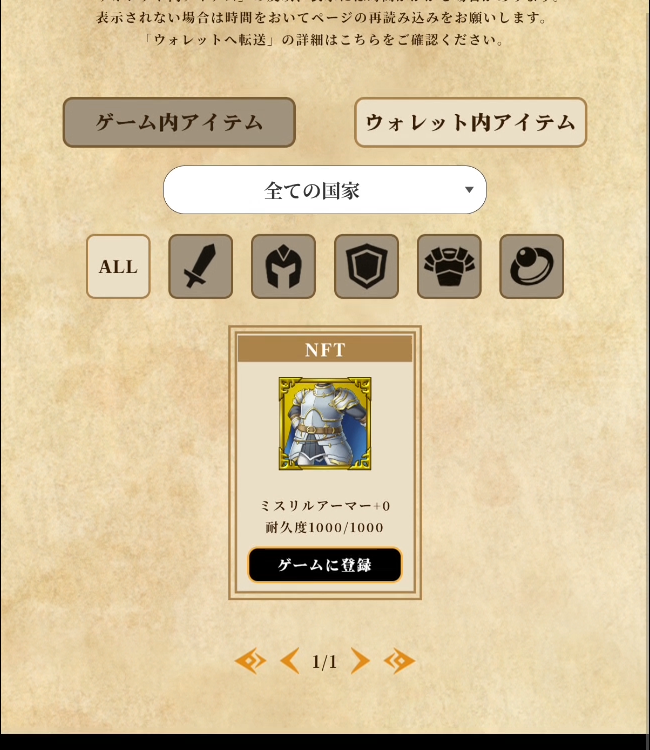
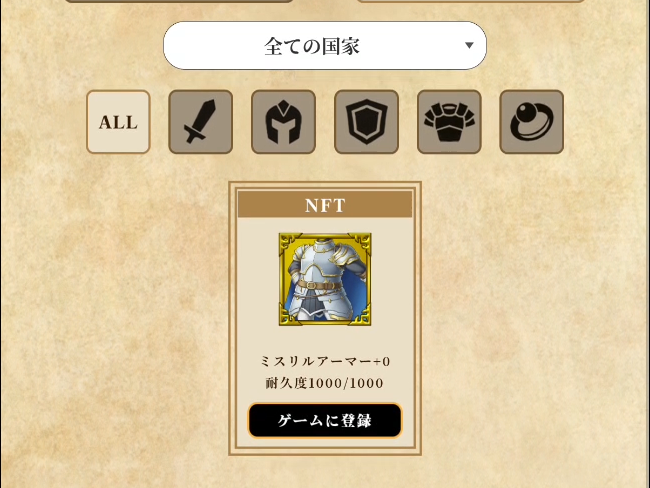
Step4 Switch to the Wallet Items Tab and Confirm That the Equipment Has Been Transferred
Switch tabs and confirm that the Equipment for which you clicked Transfer to Wallet is displayed. If it appears, the transfer was successful.
※It may take some time for the Equipment to appear. If it is not displayed, please wait a moment and check again.
【Equipment Transfer Method (Smartphone App Version)】
※An iPhone is used in this guide, but the same steps apply to Android devices.
Step1 Open the Website from the App
If you are using MetaMask, open the app and select Web from the tab at the bottom.
Boku Saga Official Website URL
https://www.bokusaga.net/
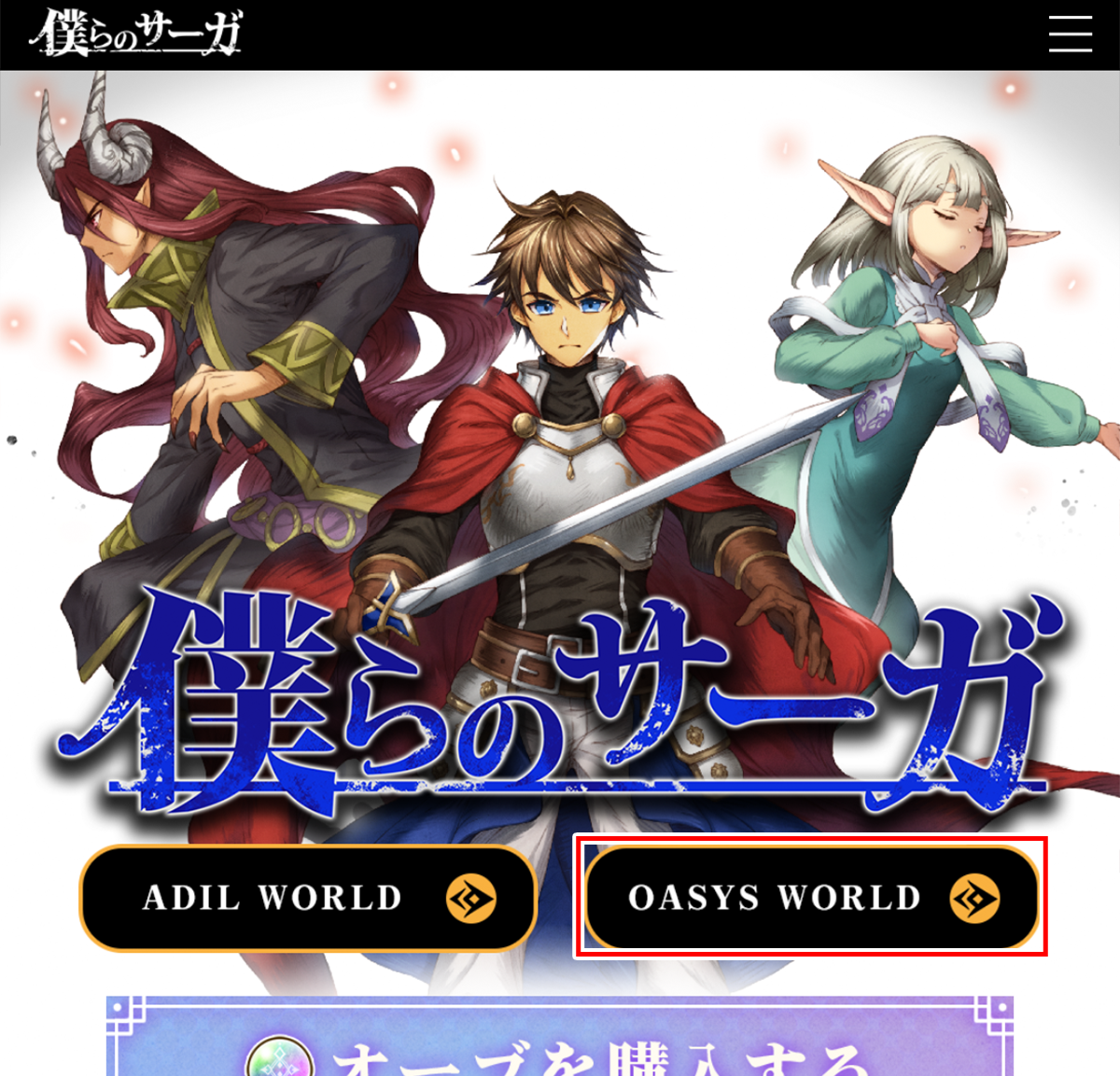
Step2 Tap WORLD on the Website
Step3 Tap Transfer to Wallet on the Equipment You Want to Transfer
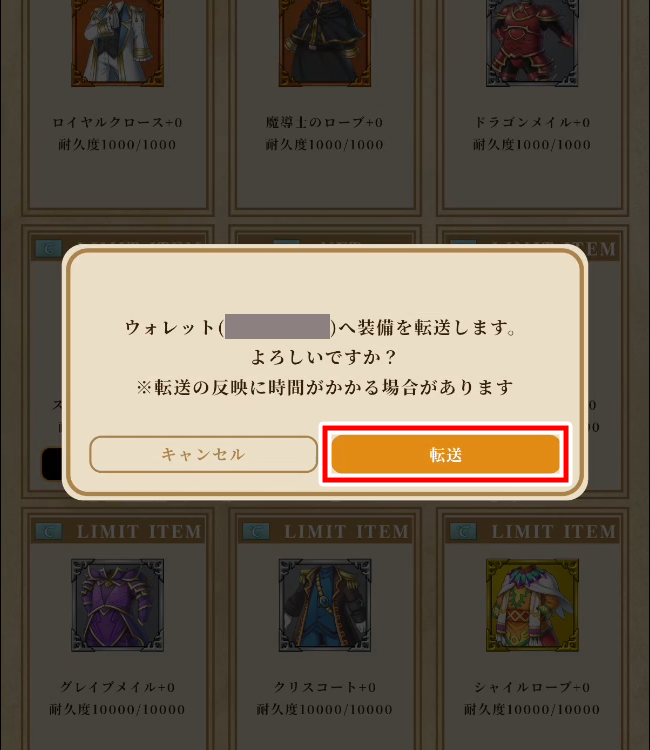
Step4 A Pop-Up Will Appear. Tap Transfer
Please confirm that the displayed wallet ID is correct.
※After tapping Transfer, the pop-up will close and the transfer process will begin. The screen will return once the transfer is complete, so please wait for a moment.
Step4 Switch to the Wallet Items Tab and Confirm That the Equipment Has Been Transferred
Switch tabs and confirm that the Equipment for which you tapped Transfer to Wallet is displayed. If it appears, the transfer was successful.
※It may take some time for the Equipment to appear. If it is not displayed, please wait a moment and check again.